
At a glance
The Calendar lets you manage your events, organize your schedules, and synchronize your external calendars (Google Calendar, Outlook) directly within the platform.
What you will do
Key features
Multiple calendars
Create multiple calendars to separate your contexts: team, project, personal. Each calendar has its own color for quick identification.
Main interface
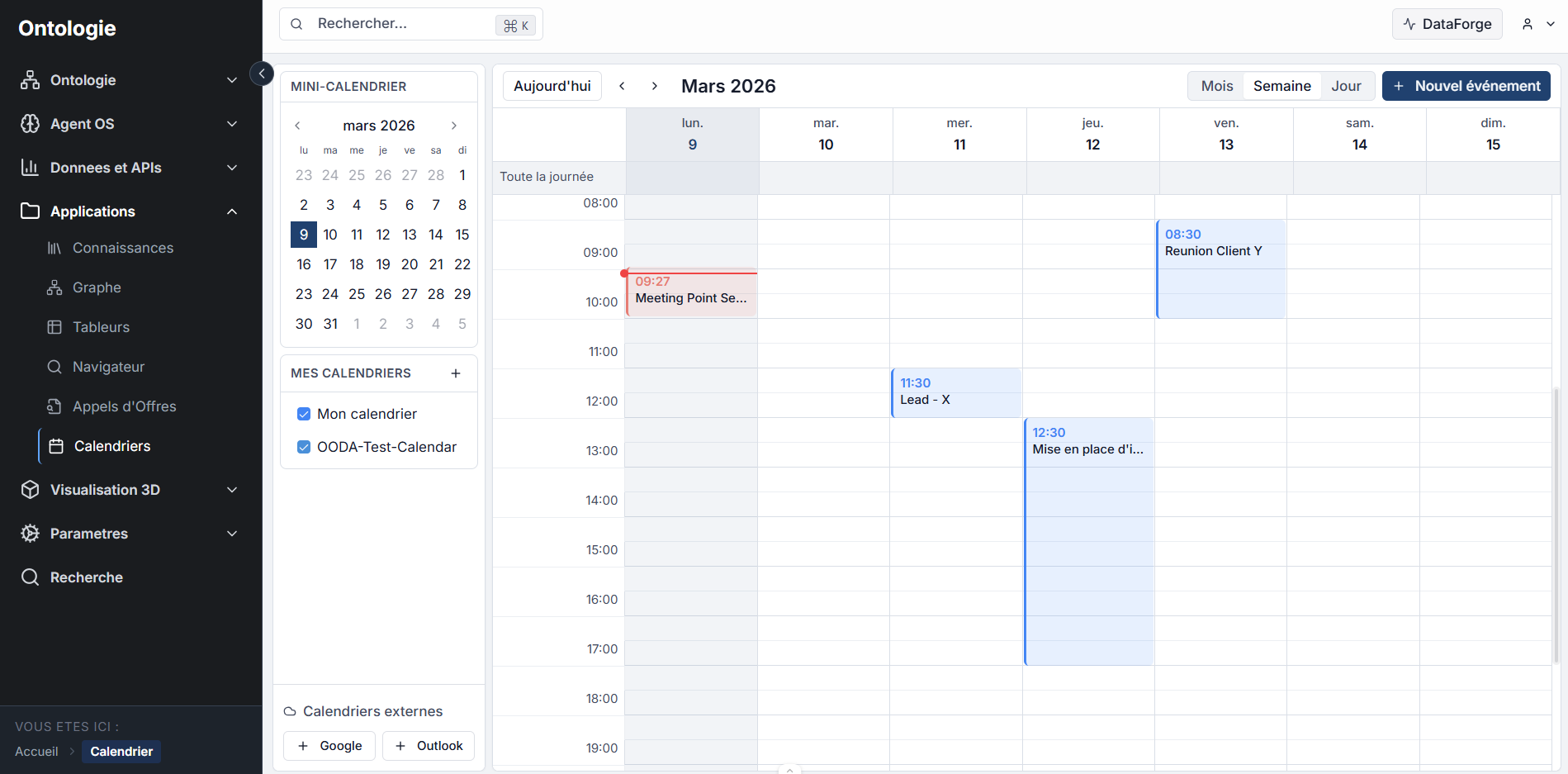
The calendar interface consists of:
- Navigation bar: Today button, previous/next month navigation, and view selector (Month, Week, Day)
- Left sidebar: mini-calendar for quick navigation, list of your calendars (with individual enable/disable), and External calendars section to connect Google Calendar or Outlook
- Main area: event display with time and title, color-coded by calendar
- New event button: quick creation in the top right corner
Views
Switch between Month, Week, and Day views as needed. The sidebar displays a mini-calendar and the list of your calendars with individual enable/disable.
Recurrence
Schedule repeating events: every day, every week, every month, or on a custom pattern. Edit a single occurrence or the entire series.
Reminders
Set up reminders before each event (5 min, 15 min, 1 hour, 1 day). Notifications appear in the interface.
Link with the ontology
Link an event to one or more entities in your ontology. For example: associate a review meeting with the supplier ACME Corp to find all events related to that supplier.
Recommended paths
Links with other modules
- Ontologie: link events to your entities for contextual tracking.
- Workflows: use calendar blocks to create or view events from a workflow.
- AI Agent: the agent can view and create events in your calendars.
Expected result
You have a centralized calendar with your events, recurrences, and reminders. Your external calendars are synchronized and your events are linked to your business model.
Need help?
Contact us: Support and contact.