
At a glance
Live Data connects your external sources to your ontology to continuously feed your entities with data. Import from over 300 ready-to-use connectors, manage your sources in a unified table, and monitor the health of your synchronizations in real time.
What you'll do
- Browse the catalogue of over 300 connectors
- Configure a connector (API key or OAuth)
- Manage your sources in a unified table
- Link your sources to ontology entities
- Monitor the health of your synchronizations in the Monitoring Hub
Access Live Data
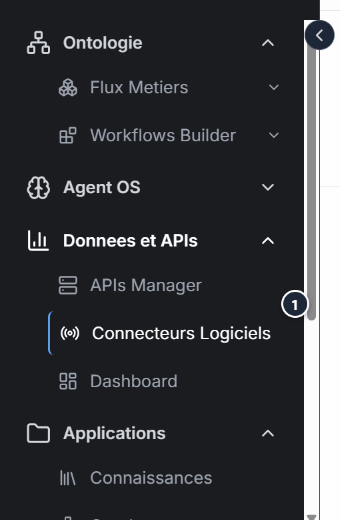
From the sidebar, click Live Data to access the module.
Recommended paths
Connectors
Browse the catalogue and configure your sources.
Data Sources
Manage all your configured sources.
Entity linking
Connect your sources to the ontology.
Monitoring
Monitor the health of your synchronizations.
Webhooks
Receive real-time events.
Expected outcome
You get a stable and continuous data flow: connected sources, operational synchronizations, and data visible in the target entities of your ontology.
Start with a single connector, verify that data flows correctly into your entities, then gradually extend to other sources.
See also
Need help?
Write to us: Support and contact.
From a connection to usable data
Authorization, completed synchronization and usable data are separate stages. Check the selected stream, last successful sync, target type link and actual values in Instances or the linked spreadsheet.
Choose a stable Client identifier such as CLI-001. Compare the source value with the platform record. Record date time zones and amount units. Identical names in two sources do not establish customer identity.
Synchronized copies may lag behind sources. Updates depend on configuration and successful runs. See Model two sources and Diagnose missing data.