
Objective
Create a reusable business entity type and identify the information displayed on its card.
Prerequisites
- You have access to an Ontologie workspace.
- You can edit the model.
- A space is selected in the Modeler.
Procedure
- Open Ontologie, then Modeler.
- On an empty canvas, select the creation call to action. On an existing canvas, use the + button.
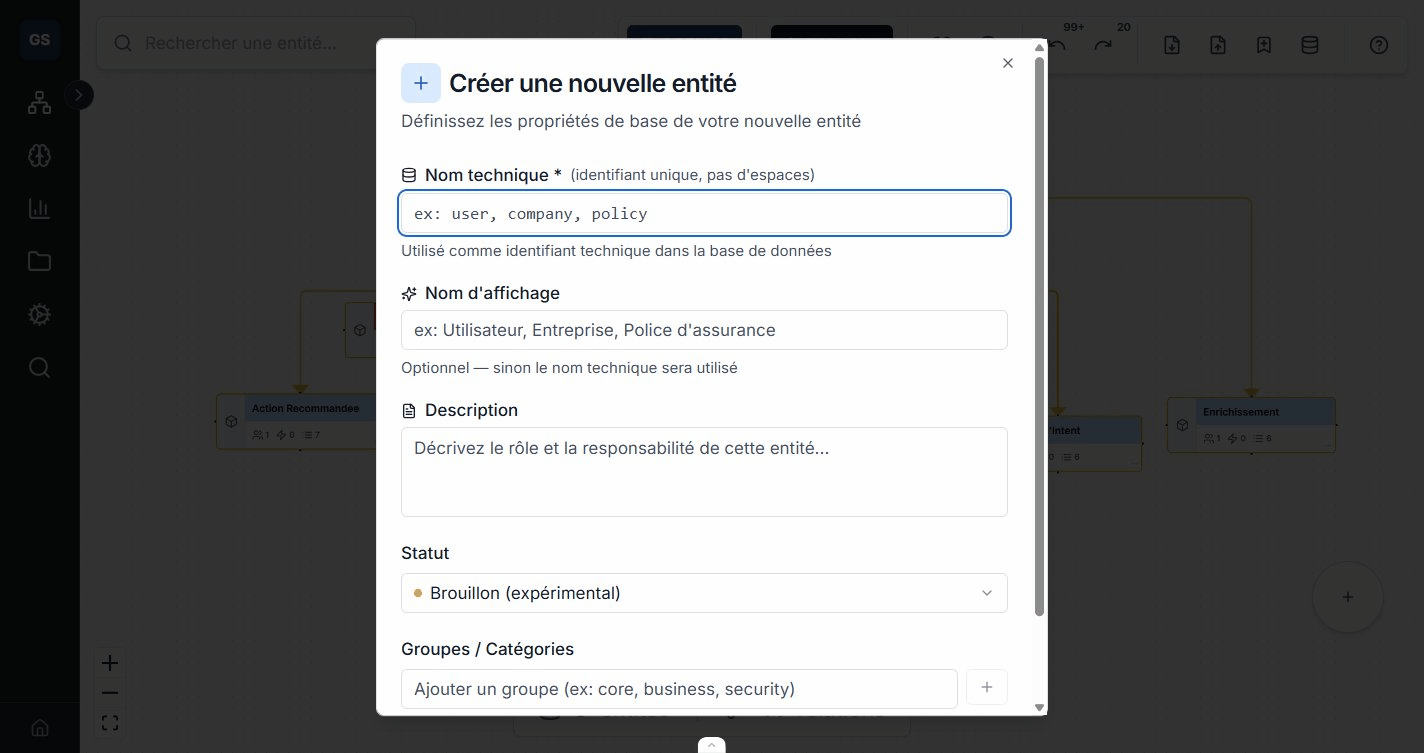
- Enter a singular business name, such as
Supplier. - Choose the type offered by the interface. Use an object type for a standard business concept.
- Confirm the creation.
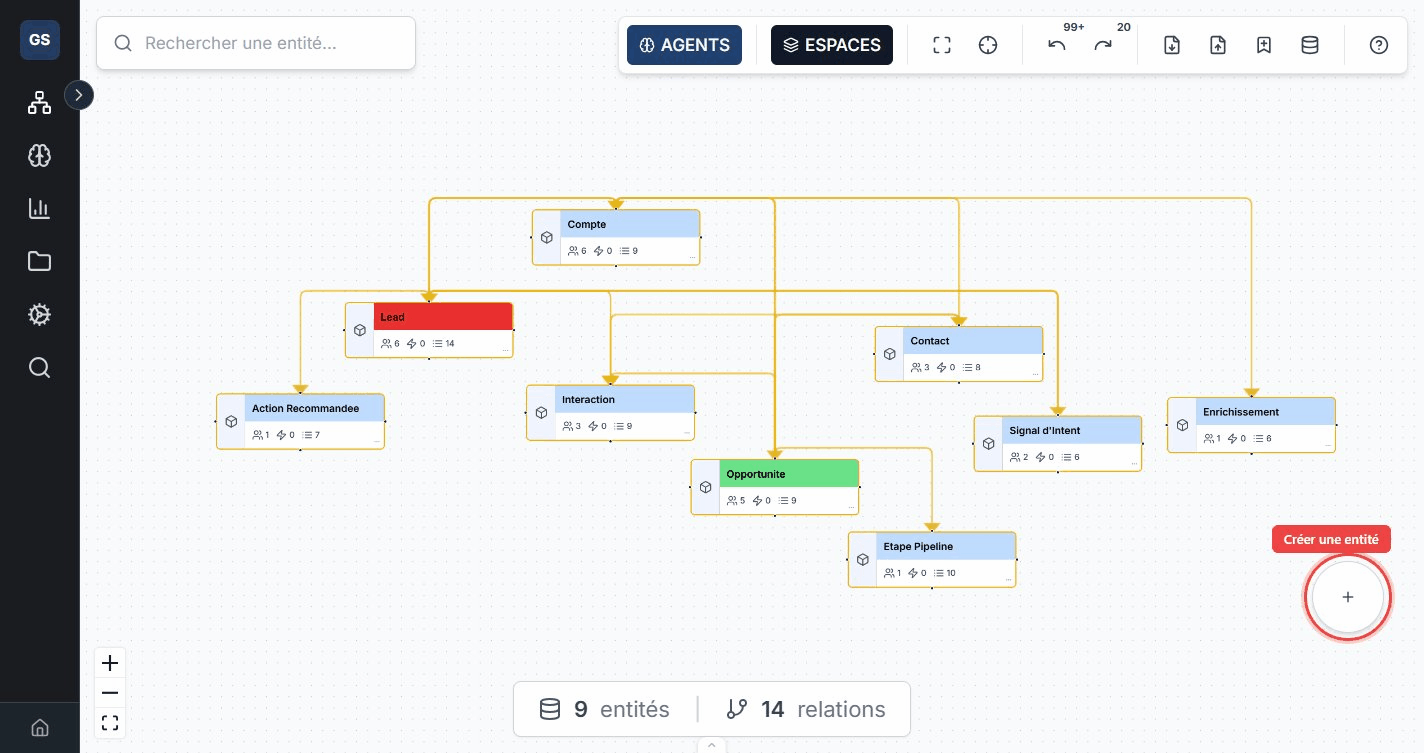
The card displays the name, icon, color, status, and property, relationship, and action counts.
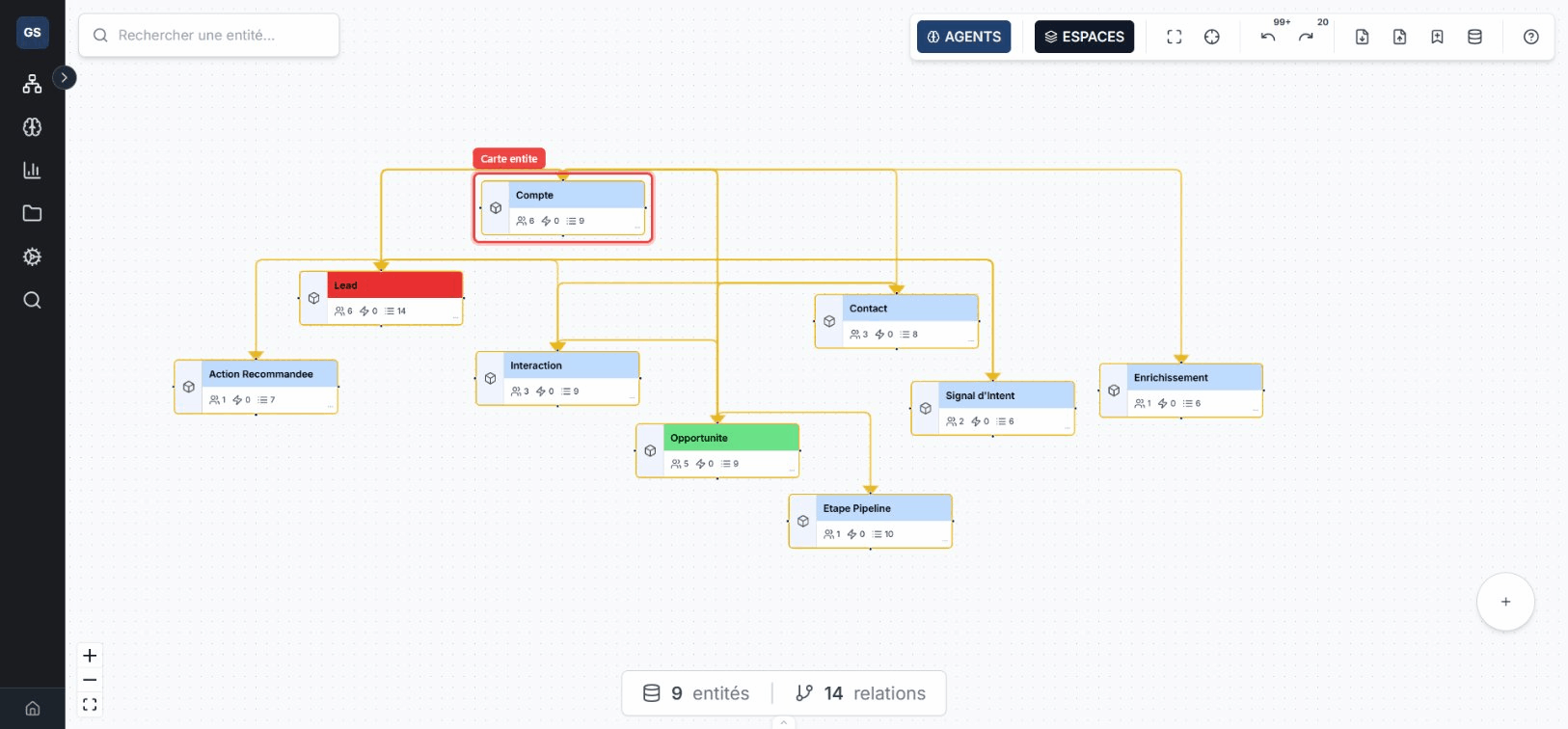
Verification
The new card appears in the current space. Select it and verify that its name and status match the values you entered.
Common errors
- If the card does not appear, check the selected space.
- If the name already exists, choose an unambiguous business name before creating a duplicate.
- If creation commands are unavailable, check your workspace role.